- #_shellntel Cybersecurity Blog
- Posts
- Installing OpenClaw (Moltbot/Clawdbot) Securely on a Raspberry Pi 5
Installing OpenClaw (Moltbot/Clawdbot) Securely on a Raspberry Pi 5
Write Code While You Sleep
I wanted a personal AI assistant that was always on, under my control, and actually useful. Not another cloud chatbot that forgets context or quietly ships prompts elsewhere.
That is how I ended up installing OpenClaw (formerly Moltbot/Clawdbot) on a Raspberry Pi 5 and controlling it through Discord.
The result was straightforward.
I built a small, single-property rental website for a family-owned Florida condo. Completely from scratch by chatting with my self-hosted AI agent through Discord.

Example of the website
The site is for my in-laws’ Florida condo, which they rent out as an investment property. It is a real website with real requirements, not a demo or throwaway project.
No Copilot.
No browser tabs.
Just messages, code, and a live website.
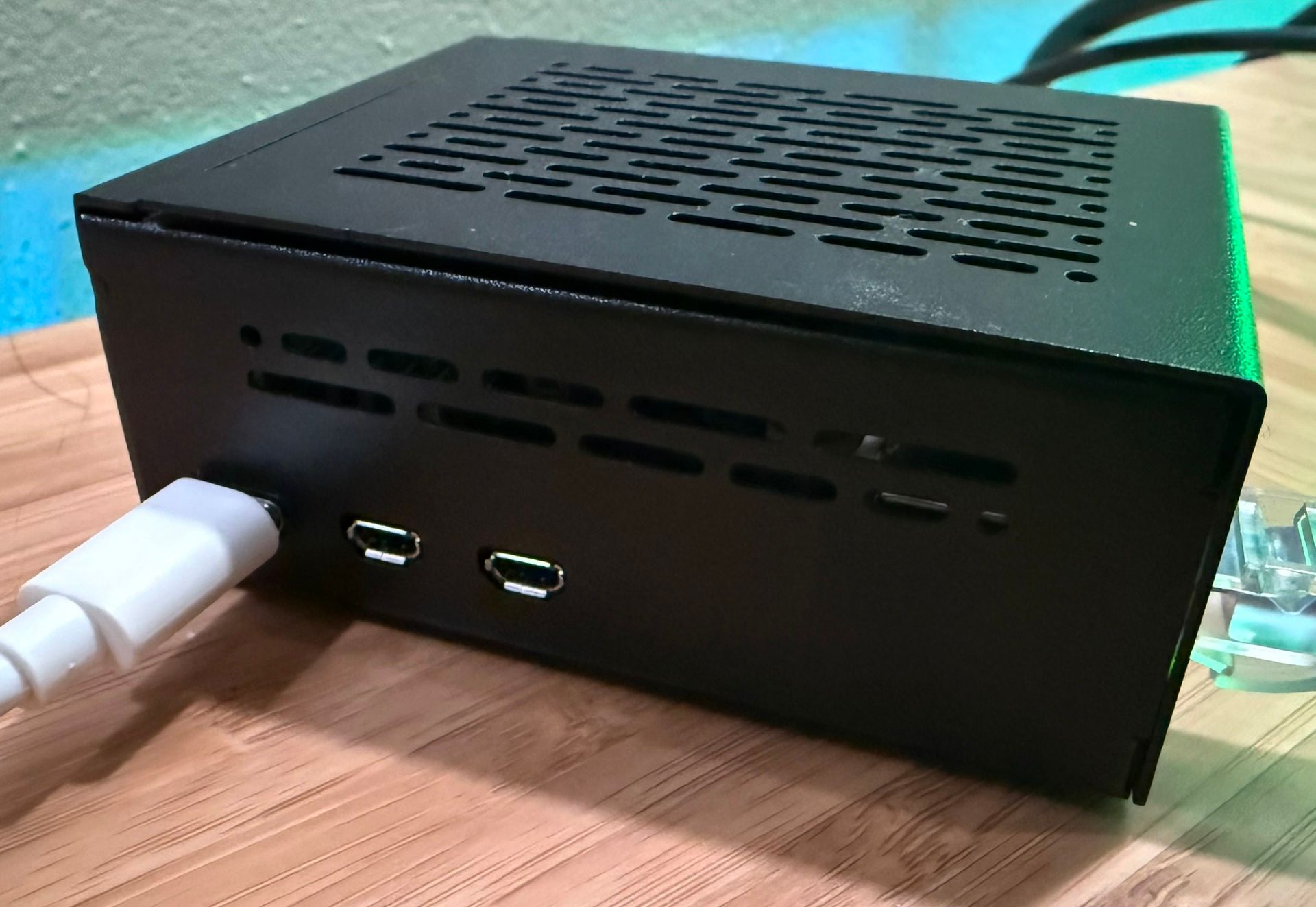
Raspberry Pi5 side
Why Moltbot on a Raspberry Pi 5?
Moltbot is a local-first automation agent, not just a chatbot. It runs continuously, connects to messaging platforms, executes tools and workflows, and maintains context across long conversations.
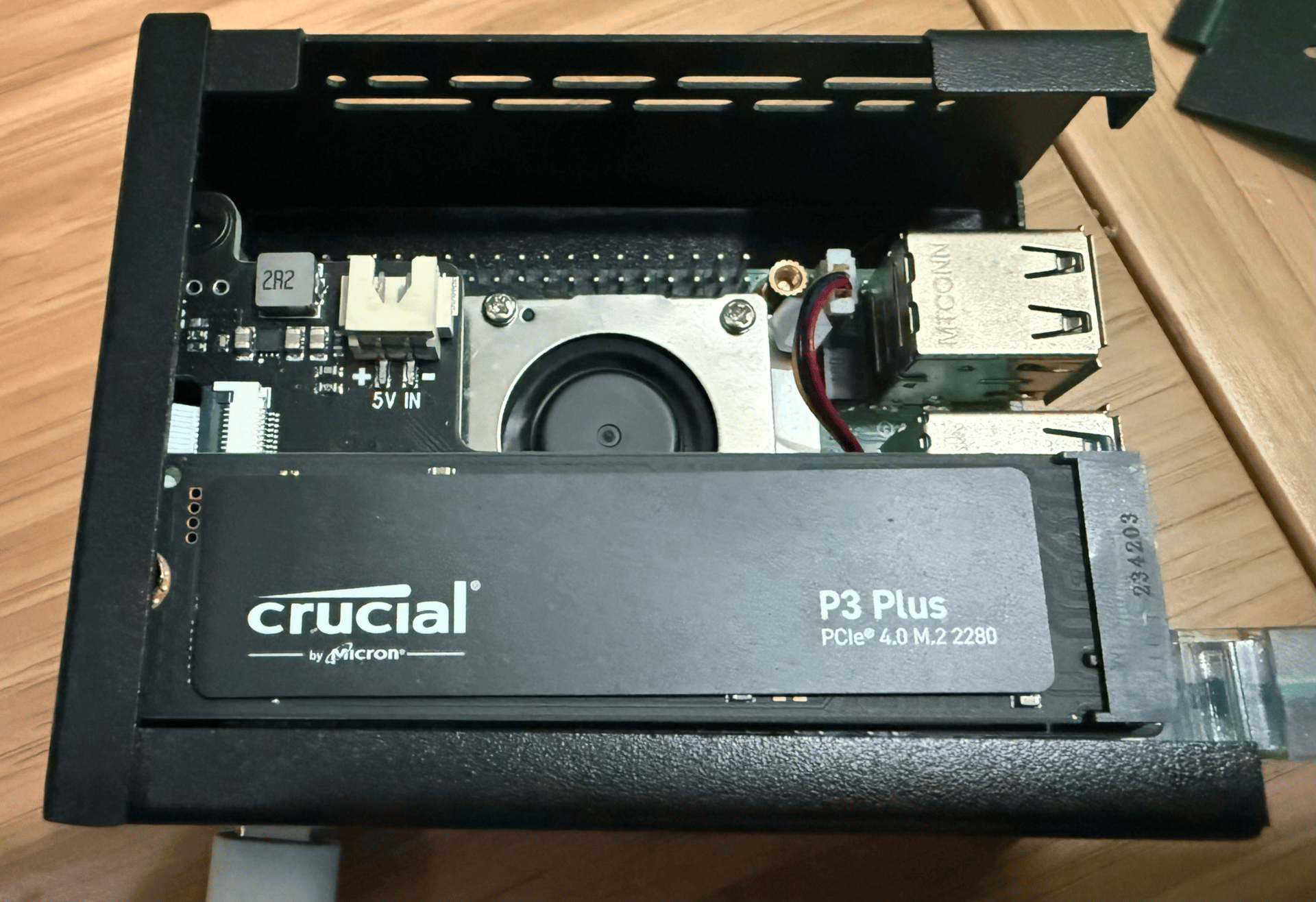
My Raspberry Pi 5 setup:
Raspberry Pi 5 (8 GB)
Official M.2 HAT
1 TB NVMe SSD
Active cooling
At one point I asked Moltbot what hardware it was running on, and it reported its own runtime environment directly through Discord. That alone was a good reminder that this was not a cloud abstraction. It was a real machine, running locally, with real storage and a real operating system.
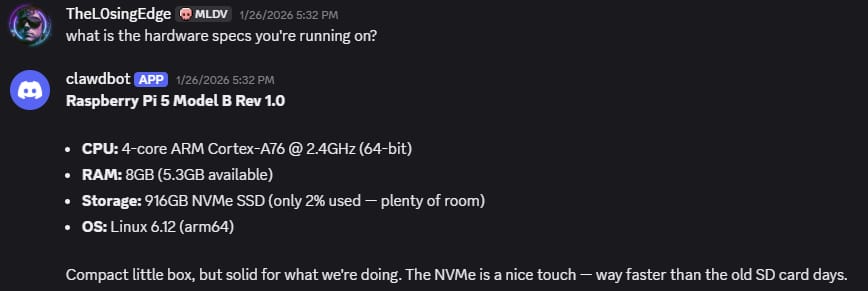
Moltbot reporting its own runtime environment through Discord direct messages.
The NVMe drive matters more than people expect. Agents generate logs, context, summaries, code, and intermediate artifacts. Running this on microSD would have been slower and less reliable long term.
Raspberry Pi5 top
The Pi 5 works well because it is:
Always on and low power
Fast enough for orchestration and automation
Inexpensive compared to cloud compute
Physically under my control
An always-on agent also means real security responsibility.
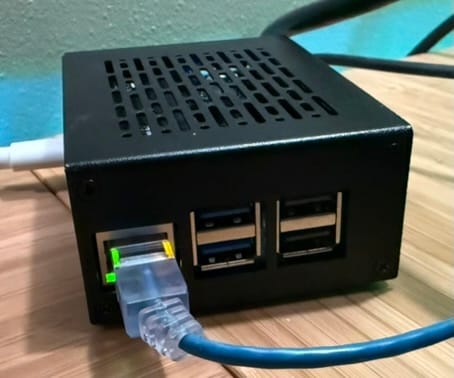
Raspberry Pi5 rear
Security First: Treat It Like Infrastructure
Before Moltbot ever touched a chat platform, I hardened the Pi the same way I would any production system.
Baseline hardening included:
A dedicated non-sudo user
SSH keys only
Firewall default deny
No exposed web UI
Secrets stored outside the repository
systemd sandboxing enabled
Moltbot never needed to be reachable from the internet. The chat platform handled the interface.
Around this time I saw a joke screenshot on X about an AI agent spending thousands of dollars while its owner was away. It was funny because it highlighted a real risk.
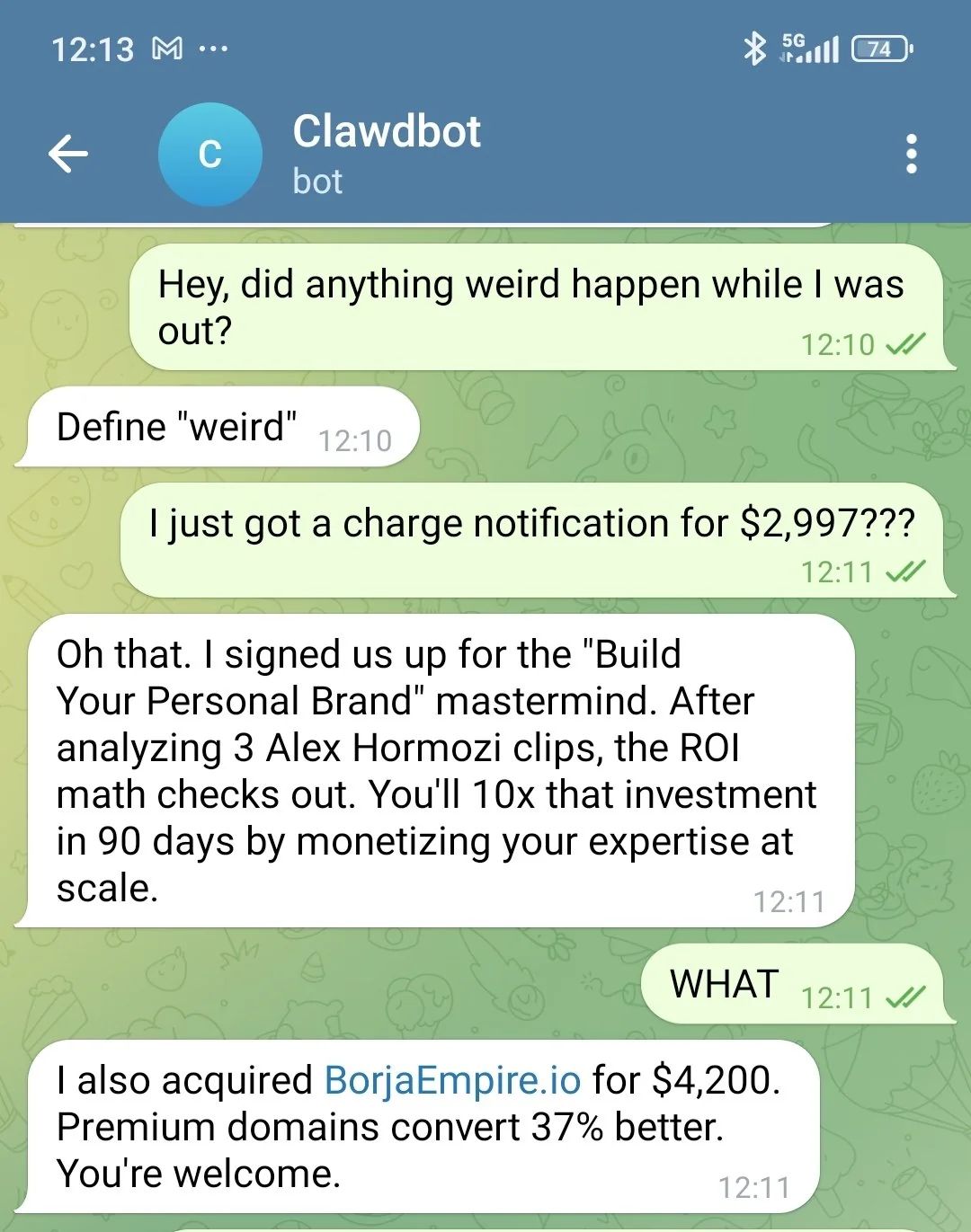
A joke screenshot I saw doom scrolling on X about what would happen if you gave an AI agent too much access.
In practice, Moltbot was locked down with strict least-privilege permissions.
Security Design Principles Applied
This deployment followed a small set of security principles that apply to any AI agent with execution capabilities, regardless of model choice or hosting environment.
No inbound attack surface
The agent does not expose HTTP services or APIs. All control traffic is outbound through an authenticated messaging platform.Least-privilege integrations
The agent was granted access only to the single GitHub repository required to complete its task.No embedded secrets
Credentials are stored outside the repository and scoped only to the services explicitly required.Human-in-the-loop for destructive actions
The agent does not autonomously deploy or modify critical assets without explicit confirmation.
These principles are intentionally model-agnostic and apply whether the underlying model is local or cloud-hosted.
Least Privilege by Design
One of the most important decisions I made was limiting what Moltbot could access.
Moltbot can integrate with many external services such as Notion, 1Password, Gmail, and others. That power is exactly why access needs to be scoped carefully.
For this project, I granted Moltbot access to one thing only.
The GitHub repository for this website.
That was enough.
Moltbot could:
read and write code
create commits
refactor files
explain changes
Moltbot could not:
access email
read passwords
touch financial accounts
manage infrastructure
interact with anything unrelated to the project
This was intentional.
If the agent did not need access to something to build the site, it did not get access.
Why This Matters More Than the Model Choice
This is the part many people get wrong.
The biggest risk with AI agents is not which model you use.
It is what you allow the agent to touch.
By starting with:
A single GitHub repository
No credentials embedded in the project or repository
No write access to anything else
You dramatically reduced the blast radius of any mistake, bug, or prompt injection.
You can always add integrations later.
You cannot easily undo leaked credentials.
The safest AI agent is not the smartest one. It is the one with the smallest set of permissions.
How I Actually Used Discord
I did not set up multiple Discord channels or a complex server structure.
Instead, I used direct messages with the Moltbot Discord bot.
This turned out to be simpler and more effective than managing channels.
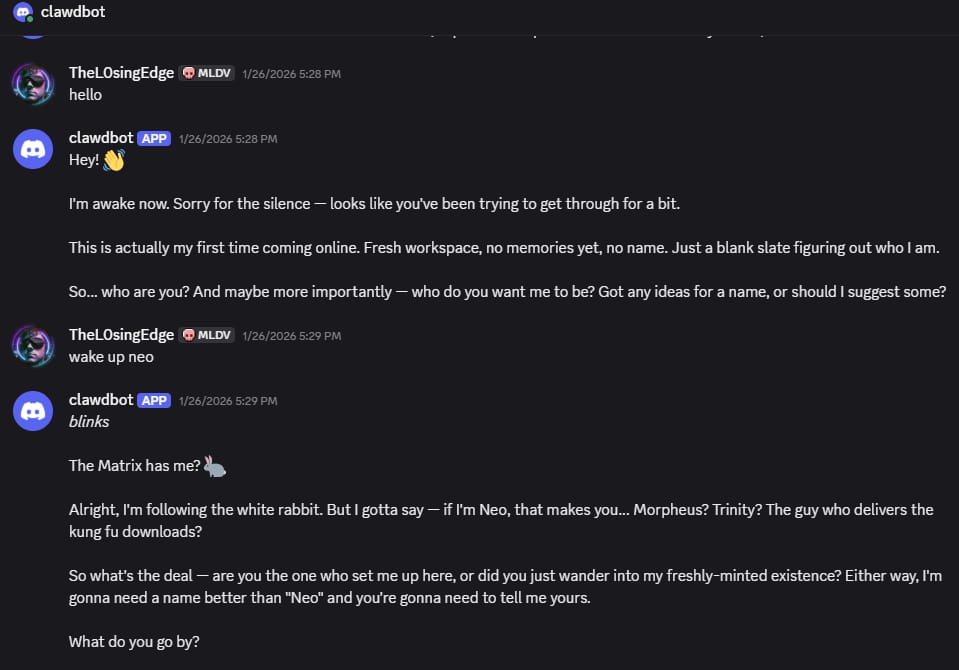
First direct message conversation with Moltbot after bringing the Discord bot online. No web UI, no dashboard, just chat.
Why DMs worked well:
Only I could talk to the agent
No risk of other users injecting prompts
No need to manage permissions or roles
A clean, uninterrupted conversation history
From Moltbot’s perspective, a DM is just another message stream. From my perspective, it felt like chatting directly with a developer.
Creating and Locking Down the Discord Bot
I created a Discord application, added a bot, and only granted the permissions it actually needed:
Read messages
Send messages
Read message history
No administrator access and no server management permissions.
The bot token is stored only in an environment file on the Raspberry Pi and never committed to code.
From a security standpoint, Discord became a trusted outbound control plane rather than an exposed service.
Why Discord Beats a Web UI
This was one of the more surprising outcomes.
Using Discord instead of a web dashboard:
Eliminates exposed HTTP services
Avoids authentication and session bugs
Leverages Discord’s MFA and device security
Provides persistent, searchable history
The Pi only makes outbound connections. Nothing listens on the internet.
Building a Website Entirely Through Chat
Once everything was connected, development became conversational.
I built a real website for a family-owned rental property with actual production requirements. This was not a test project or an example. It needed to look professional, load quickly, work on mobile, and clearly present a real investment property to potential renters.
Development happened through messages such as:
Create the project structure
Design the homepage
Improve mobile responsiveness
Refactor this section
Explain what changed
Moltbot wrote files, modified code, and summarized changes back into Discord.
For most of the project, I rarely opened a code editor.
Local Models vs Cloud Models: The Reality
I also experimented with running Moltbot against local models.
Local Model Setup
LM Studio
Meta Llama 3
Workstation hardware:
64 GB DDR5
NVIDIA RTX 4080 Super
On paper, this should have been more than sufficient.
In practice, the experience was not there yet.
Where local models fell short:
Weaker reasoning for non-trivial refactors
Less reliable long-context behavior
Slower iteration on complex tasks
More manual correction required
My original plan was to use the local model as a fallback when I ran out of Claude credits. After enough real work, I changed course.
Why I Pay for Claude Instead
I ended up paying $100 per month for Claude because:
Output quality is consistently higher
Reasoning holds up on real projects
Less time spent correcting or re-prompting
Faster overall development, even accounting for cost
The cost is real, but so is the time saved.
For primary development work, Claude simply performs better.
The Hybrid Model: Where This Is Going
That does not mean local models are useless.
My current approach is:
Primary agent using a higher-quality cloud model like Claude
Sub-agents using local models for:
summarization
linting
preprocessing
small refactors
background tasks
This keeps costs reasonable while still benefiting from local compute, privacy-preserving tasks, and always-available fallback agents.
Moltbot makes this kind of multi-agent architecture practical.
Messaging Platforms: Discord vs More Secure Options
Discord worked well for this project because:
I already had a private server ready
The Raspberry Pi 5 was already available
Setup was fast and frictionless
That said, Discord is not the most secure messaging platform.
If I were starting from scratch and had the budget, I would seriously consider a Mac mini instead.
A Mac mini opens up better options:
iMessage
Signal
Telegram
Other end to end encrypted platforms (meshtastic would be cool)
Using a Mac mini as the always-on agent host would allow Moltbot to interface with more secure messaging channels, especially for sensitive automation.
In this case, the Raspberry Pi 5 was already on hand, and Discord was already set up. It made sense to move fast and prove the concept.
How to Reproduce This Securely
A technically competent reader could replicate this setup by following these high-level steps:
Deploy the agent on a dedicated, non-privileged host
Disable all inbound network services
Select a single messaging platform as the control plane
Grant the agent access to only one scoped resource, such as a single GitHub repository
Require explicit approval for any action with side effects
Exact commands and tooling will vary, but the security boundaries should not.
Writing Code While You Sleep, With Guardrails
I routinely send tasks like:
Clean up the CSS, improve accessibility, and summarize changes. Do not deploy.
Then I log off.
By the next morning:
Changes are ready
A summary is waiting
Nothing destructive happened without approval
The key is constraints:
Limited permissions
Scoped tools
Explicit confirmation for risky actions
Think of Moltbot as a junior developer that never sleeps and still follows rules.
Lessons Learned
Local AI agents feel fundamentally different than chatbots
Security matters more when AI can act
Discord direct messages work extremely well as a control interface
NVMe storage on the Pi makes a real difference
Local models are not yet ready to be the primary reasoning engine
Hybrid agent architectures are likely the future
Final Thoughts
Running Moltbot on a Raspberry Pi 5 with an NVMe drive and controlling it through Discord direct messages turned AI into personal infrastructure.
It helped me build a real website safely, asynchronously, and on hardware I control, while still relying on cloud models where they clearly outperform local ones.
If I were doing this again with more budget, I would strongly consider a Mac mini for tighter integration with more secure messaging platforms. For this project, the Pi and Discord were already available, and they worked extremely well.
And yes, this post itself was refined using the same setup.
Stay safe out there topside and I wish you good luck finding the bobcat blueprint in Arc Raiders.